.%20--%3e%3csvg%20xmlns='http://www.w3.org/2000/svg'%20viewBox='0%200%201610%20300'%3e%3cdefs%3e%3clinearGradient%20id='kb'%20x1='0'%20y1='0'%20x2='0'%20y2='300'%20gradientUnits='userSpaceOnUse'%3e%3cstop%20offset='0'%20stop-color='%2373c6e5'/%3e%3cstop%20offset='.25'%20stop-color='%2352b5dc'/%3e%3cstop%20offset='.5'%20stop-color='%233a9fc8'/%3e%3cstop%20offset='.75'%20stop-color='%232b82ae'/%3e%3cstop%20offset='1'%20stop-color='%231a6490'/%3e%3c/linearGradient%3e%3c/defs%3e%3cg%20fill='url(%23kb)'%20fill-rule='evenodd'%3e%3cpath%20d='M0%20300V0H86V136H160V0H246V164H166V219H246V300H160V219H86V300Z'/%3e%3cpath%20d='M401%2083H321V0H567V83H487V219H567V300H321V219H401Z'/%3e%3cpath%20d='M642%20300V0H728V83H808V136H882V0H968V300H882V219H802V164H728V300Z'/%3e%3cpath%20d='M1043%20300V0H1289V164H1209V219H1289V300H1203V219H1129V300ZM1129%2083V136H1203V83Z'/%3e%3cpath%20d='M1364%20300V83H1444V0H1610V300H1524V219H1450V300ZM1450%2083V136H1524V83Z'/%3e%3c/g%3e%3c/svg%3e)
Kinra Space / Reference and help
Keyboard shortcuts
A compact reference for navigation, messages, files, and the command palette.
Experimental · private access. Public signup is not open.
Read as MarkdownSettings → Keyboard shortcuts shows the current reference with keys labelled for your platform. The command palette uses the same command registry. Search for an action or a shortcut to find its control.
| Action | Windows / Linux | Mac |
|---|---|---|
| Search sessions and commands | Ctrl+K | ⌘K |
| Collapse or expand the sidebar on desktop | Ctrl+B | ⌘B |
| Send a message on a desktop keyboard | Enter | Enter |
| Add a line on a desktop keyboard | Shift+Enter | Shift+Enter |
| Save an edited file in Files | Ctrl+S | ⌘S |
| Ask Kin from the open palette | Ctrl+Enter | ⌘Enter |
| Recall earlier prompts at the start of the composer | Up / Down | Up / Down |
| Open an item’s context menu | Shift+F10 | Shift+F10 where the keyboard supports it |
Context matters
- Terminal: Ctrl+B is the tmux prefix, not the sidebar control.
- Touch composer: Enter inserts a line; use Send, or Ctrl+Enter / ⌘Enter with a supported keyboard, to submit.
- Command palette: arrows select, Enter runs the selected row, and Escape closes it. Ctrl+Enter / ⌘Enter starts a new session and sends the typed question.
- Welcome widget note: Enter or leaving the field saves; Escape cancels.
- Edit home: arrow keys move the widget whose handle is focused. Escape cancels a drag; otherwise it leaves editing. An open widget dialog handles Escape first.
- Menus and hints: Escape dismisses them. Item menus also support arrows, Home, End, and typing to find an item.
Keyboard controls have visible alternatives for touch. On narrow or touch palettes, key hints may be hidden to leave room for the action names.
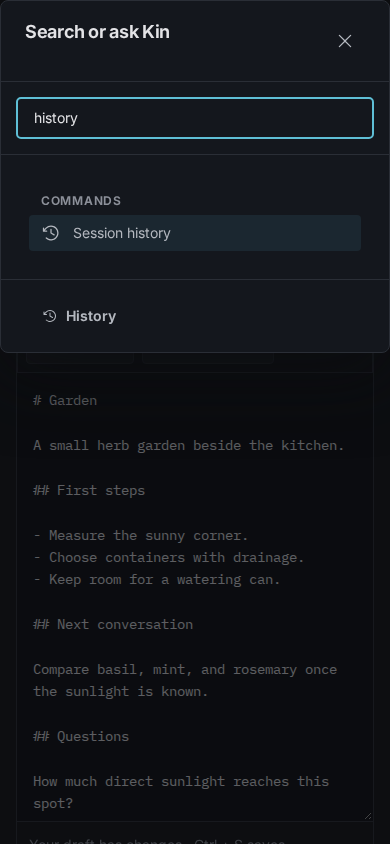
A fictional local session list. The same palette finds commands and can ask Kin; selecting a command and submitting a question have different effects.
See Conversations before using the palette to send a question.