.%20--%3e%3csvg%20xmlns='http://www.w3.org/2000/svg'%20viewBox='0%200%201610%20300'%3e%3cdefs%3e%3clinearGradient%20id='kb'%20x1='0'%20y1='0'%20x2='0'%20y2='300'%20gradientUnits='userSpaceOnUse'%3e%3cstop%20offset='0'%20stop-color='%2373c6e5'/%3e%3cstop%20offset='.25'%20stop-color='%2352b5dc'/%3e%3cstop%20offset='.5'%20stop-color='%233a9fc8'/%3e%3cstop%20offset='.75'%20stop-color='%232b82ae'/%3e%3cstop%20offset='1'%20stop-color='%231a6490'/%3e%3c/linearGradient%3e%3c/defs%3e%3cg%20fill='url(%23kb)'%20fill-rule='evenodd'%3e%3cpath%20d='M0%20300V0H86V136H160V0H246V164H166V219H246V300H160V219H86V300Z'/%3e%3cpath%20d='M401%2083H321V0H567V83H487V219H567V300H321V219H401Z'/%3e%3cpath%20d='M642%20300V0H728V83H808V136H882V0H968V300H882V219H802V164H728V300Z'/%3e%3cpath%20d='M1043%20300V0H1289V164H1209V219H1289V300H1203V219H1129V300ZM1129%2083V136H1203V83Z'/%3e%3cpath%20d='M1364%20300V83H1444V0H1610V300H1524V219H1450V300ZM1450%2083V136H1524V83Z'/%3e%3c/g%3e%3c/svg%3e)
Kinra Space / Overview
Kinra Space
A guide to your personal home with Kin: conversations, files, projects, and the machine you return to.
Experimental · private access. Public signup is not open.
Read as MarkdownSpace brings a personal Linux machine and your conversations with Kin into your browser. Files, installed tools, and saved conversations remain on the machine between visits. Your Home page keeps useful notes and things you make together within reach.
This manual is for people who already have a Space. Reading it or installing the browser app does not create a machine or an account.
Start with one useful thing
Follow Your first visit to sign in, ask Kin a small question, and return to the conversation. You can begin in the Home workspace without creating a project or connecting every account.
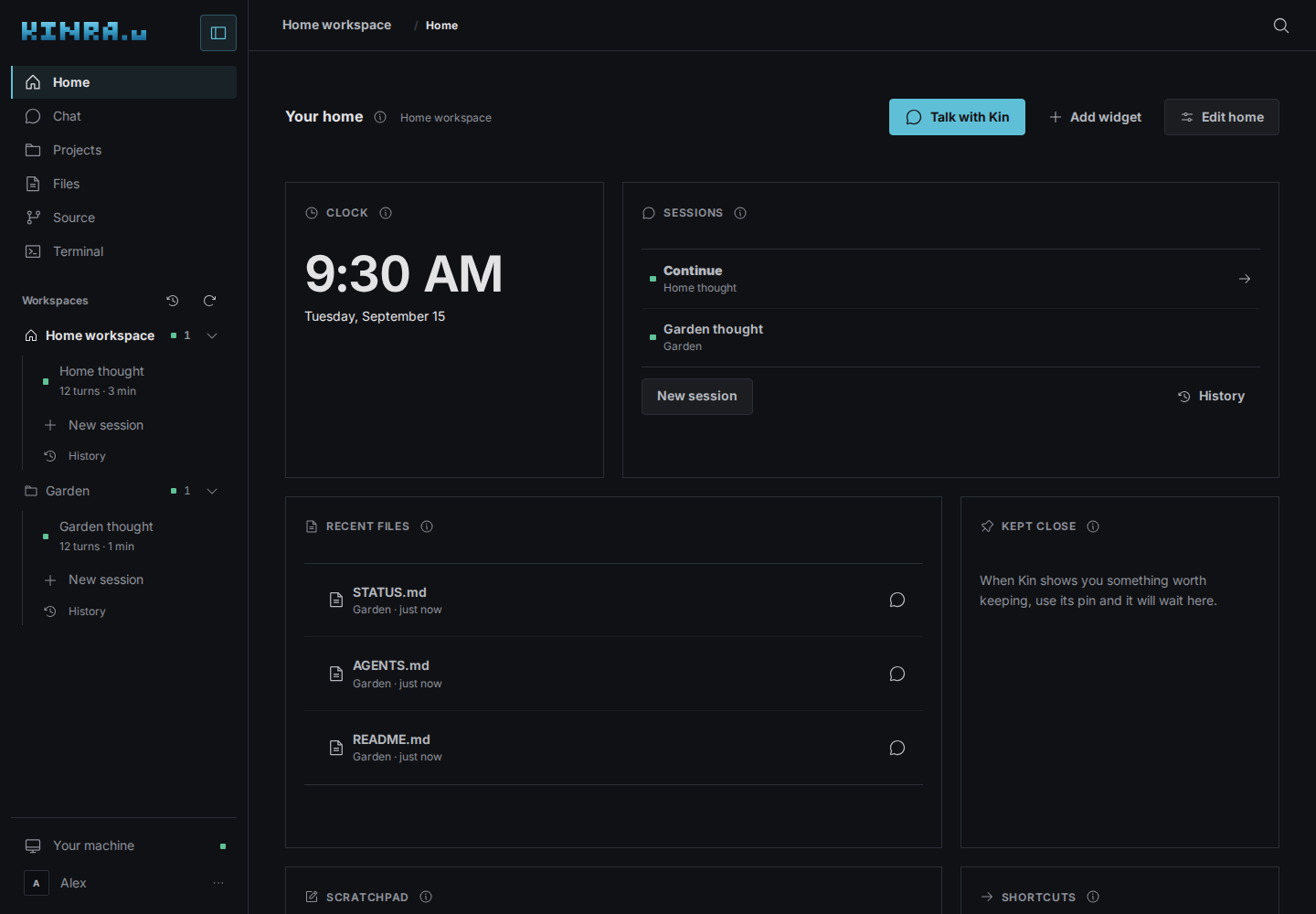
Home in Graphite. All screenshots in this manual use a disposable local Space with fictional example content; they show the interface, not a live account.
Find what you need
| I want to… | Read |
|---|---|
| Find my way around and arrange my home | Your home |
| Ask Kin, answer a decision, or resume work | Conversations |
| Upload, edit, download, or discuss a file | Files |
| Give a piece of work its own folder and sessions | Projects and workspaces |
| Bring several repositories together | Portfolios |
| Save and review a project through Depot | Saving with Depot |
| Connect a model or GitHub | Accounts and models |
| Reach other devices from my machine | Tailscale |
| Keep an interactive result or make a widget | Artifacts and widgets |
| Use a shell or inspect the machine | Terminal and machine |
| Install Space on my phone or computer | Devices and installation |
| Find a keyboard control | Keyboard shortcuts |
| Recover from a problem | Troubleshooting |
Three places to understand
- Space is your personal machine and its browser home.
- A workspace is a folder where work happens. A project gives that folder a name in the sidebar. Workspaces share the machine and are not isolated from one another.
- A session is a conversation with Kin in a workspace. Several sessions can use the same files. Choose a new session for a fresh conversation and History to continue an earlier one.
Space provides the browser controls. Kin keeps conversation history, models, tools, and approval decisions. The Kin manual explains Kin in depth; its terminal commands are not all browser controls. Depot keeps saved Git history and owns its review and recovery pages.