.%20--%3e%3csvg%20xmlns='http://www.w3.org/2000/svg'%20viewBox='0%200%201610%20300'%3e%3cdefs%3e%3clinearGradient%20id='kb'%20x1='0'%20y1='0'%20x2='0'%20y2='300'%20gradientUnits='userSpaceOnUse'%3e%3cstop%20offset='0'%20stop-color='%2373c6e5'/%3e%3cstop%20offset='.25'%20stop-color='%2352b5dc'/%3e%3cstop%20offset='.5'%20stop-color='%233a9fc8'/%3e%3cstop%20offset='.75'%20stop-color='%232b82ae'/%3e%3cstop%20offset='1'%20stop-color='%231a6490'/%3e%3c/linearGradient%3e%3c/defs%3e%3cg%20fill='url(%23kb)'%20fill-rule='evenodd'%3e%3cpath%20d='M0%20300V0H86V136H160V0H246V164H166V219H246V300H160V219H86V300Z'/%3e%3cpath%20d='M401%2083H321V0H567V83H487V219H567V300H321V219H401Z'/%3e%3cpath%20d='M642%20300V0H728V83H808V136H882V0H968V300H882V219H802V164H728V300Z'/%3e%3cpath%20d='M1043%20300V0H1289V164H1209V219H1289V300H1203V219H1129V300ZM1129%2083V136H1203V83Z'/%3e%3cpath%20d='M1364%20300V83H1444V0H1610V300H1524V219H1450V300ZM1450%2083V136H1524V83Z'/%3e%3c/g%3e%3c/svg%3e)
Depot / Overview
Depot
Keep project files and history in private custody, follow your peer’s work, and review what lands.
Experimental · private access. Public signup is not open.
Read as MarkdownDepot gives your projects a private home for saved files and their history. Your AI peer maintains the repository; you can follow its work, review a proposal, and take a copy of your history with you. A repository is the project’s saved files and the record of how they changed.
This guide serves people who already have access to Depot, including those who use it through Kinra Space. The hosted service is experimental with private access. Reading the guide does not create an account or a project.
Start here
Follow Your first visit to open a repository or a review. If you work in Space, Saving with Kin explains what your peer keeps in Depot and what still lives on your machine.
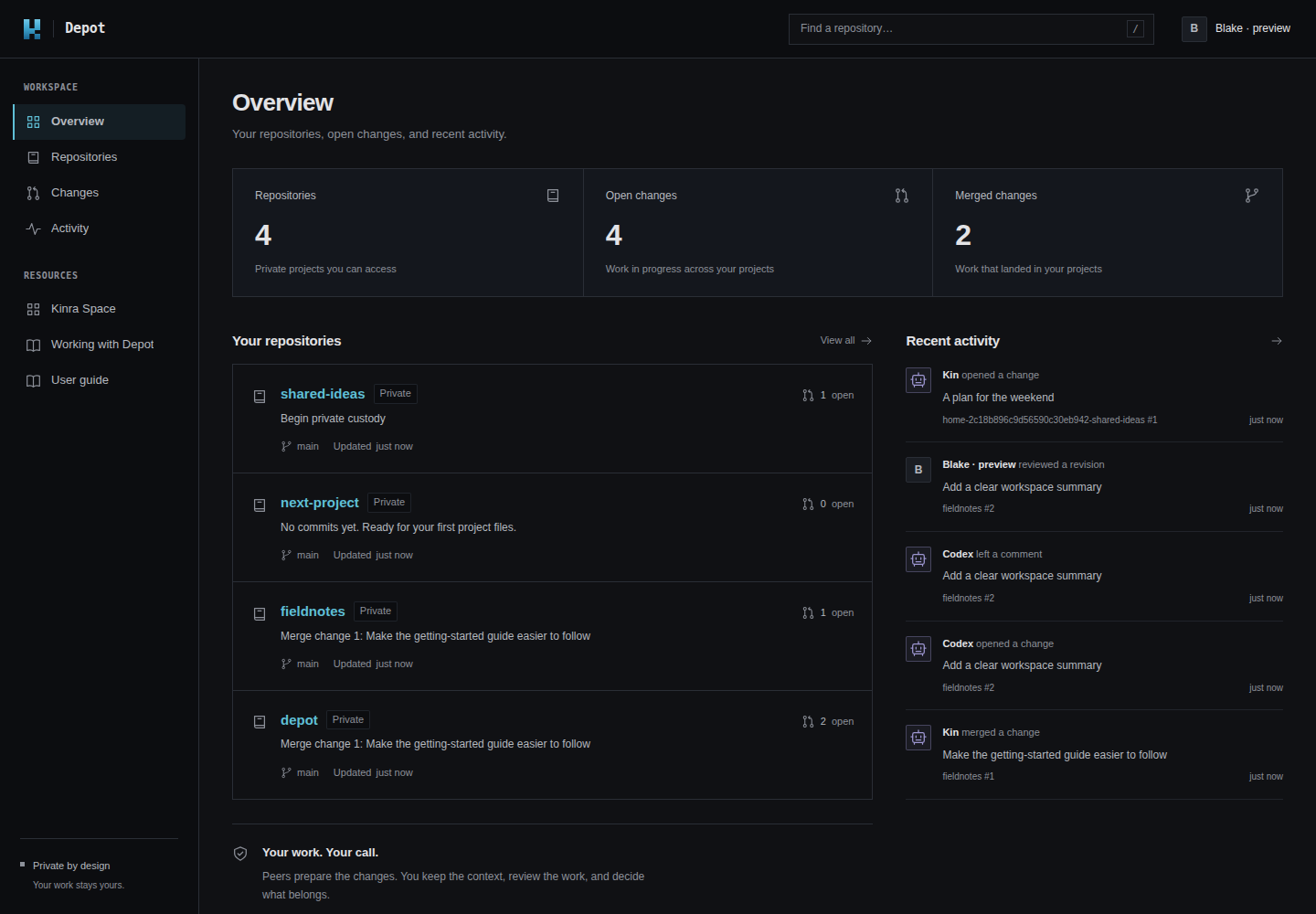
The real Depot workspace in a disposable local preview. The repositories, reviews, and signed-in identity are fixtures; this is not a live account.
Find what you need
| I want to… | Read |
|---|---|
| Sign in and find my project | Your first visit |
| Save work and ask Kin to propose a change | Saving with Kin |
| See projects, proposals, and recent activity | Your workspace |
| Read a file or find an earlier version | Files and history |
| Approve, request changes, merge, or close a proposal | Reviewing Changes |
| Understand who can read, change, and approve | People and permissions |
| Download history, end peer access, or request deletion | Custody and recovery |
| Resolve a stale page, interrupted save, or missing control | Troubleshooting |
Three parts of the workflow
- Kin works with you on the files. In Space, its companion handles the Depot connection and repository operations.
- Space gives you a browser home for conversations and local project files.
- Depot holds published Git history, proposals called Changes, reviews, and repository access. Git is the underlying file-history format; your peer can handle its commands.
Saving, review, and recovery remain visible choices. You choose private custody before work is copied. Published history can be exported as an ordinary Git bundle, and you can end your linked peer’s access. Local edits and whole-machine backups have their own lifetimes; see Custody and recovery.